DEF CON Singapore 26 Talks - PackageGate: Finding 0-days in every JS Package Manager
- Categories:
- notes
During DEF CON conference, one of the presentation talked about security in JavaScript package managers.
The researcher explained they focuses on 2 things: integrity and scripts.
Integrity means how easily the packages can be tampered with.
Scripts means that during installation, the package manager has a feature to run JS / shell script on pre-install and/or post-install. One of the use case: displaying a sponsorship link after package installation.
Originally, the researcher found that only Yarn has a good integrity check and while the checking for scripts, the researcher found that none of the package managers are immune to the Supply Chain Attacks.
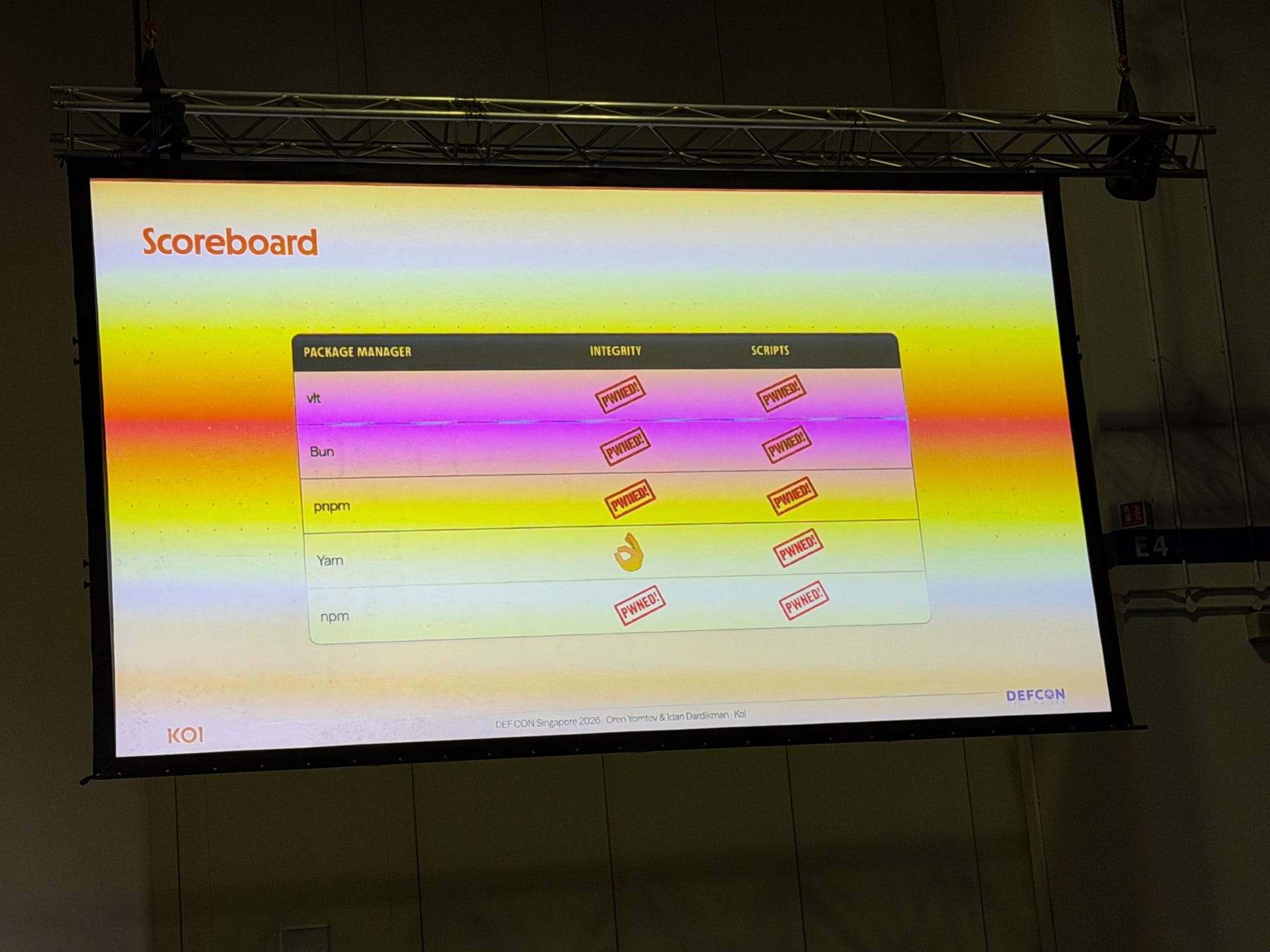
Scoreboard
| Package Manager | Integrity | Scripts |
|---|---|---|
| vlt | PWNED! | PWNED! |
| Bun | PWNED! | PWNED! |
| pnpm | PWNED! | PWNED! |
| Yarn | 👌 | PWNED! |
| npm | PWNED! | PWNED! |
After the researcher reported all of the issues, only vlt, bun, and pnpm patches all of the issues.
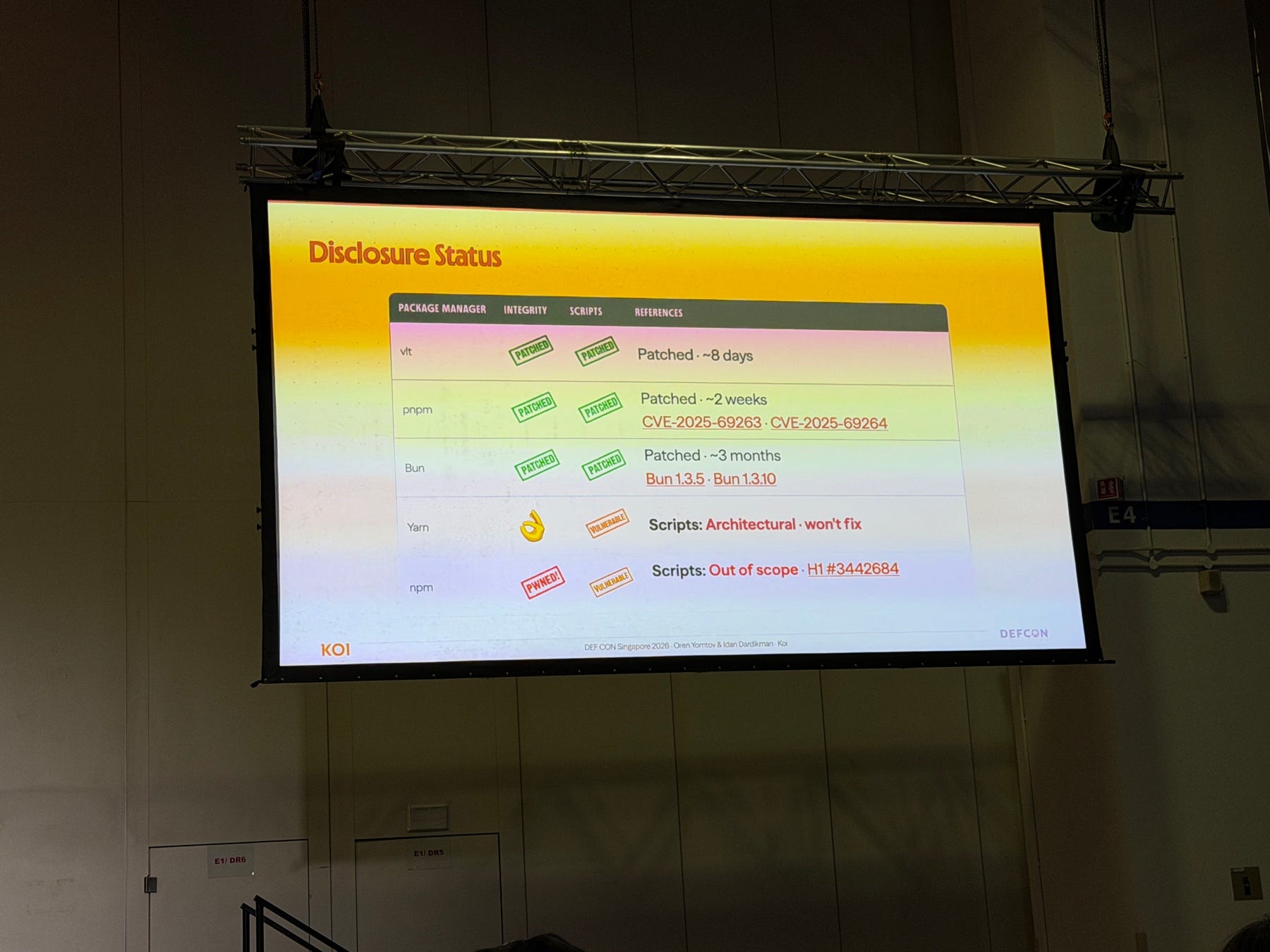
Disclosure Status
| Package Manager | Integrity | Scripts | References |
|---|---|---|---|
| vlt | PATCHED | PATCHED | Patched · ~8 days |
| pnpm | PATCHED | PATCHED | Patched · ~2 weeks CVE-2025-69263 · CVE-2025-69264 |
| Bun | PATCHED | PATCHED | Patched · ~3 months Bun 1.3.5 · Bun 1.3.10 |
| Yarn | 👌 | VULNERABLE | Scripts: Architectural · won’t fix |
| npm | PWNED! | VULNERABLE | Scripts: Out of scope · H1 #3442684 |
What Can We Do?
- Migrate from NPM and Yarn to vlt, bun, or pnpm
- commit the lockfiles. Lock files pin the exact version and integrity hash of every dependency including transitive ones
Recommendation
Between vlt, pnpm and bun, I recommend to use pnpm, it’s more mature (first released in 2016) and easy to migrate npm or yarn. vlt is still new and it is too early to adopt for production. Bun is fast but introduces runtime risk if you rely on full Node.js compatibility.
# Install pnpm
npm install -g pnpm

# In root project folder
pnpm import   # converts yarn.lock / package-lock.json to pnpm-lock.yaml
pnpm install
- Tags:
- #security
- #javascript